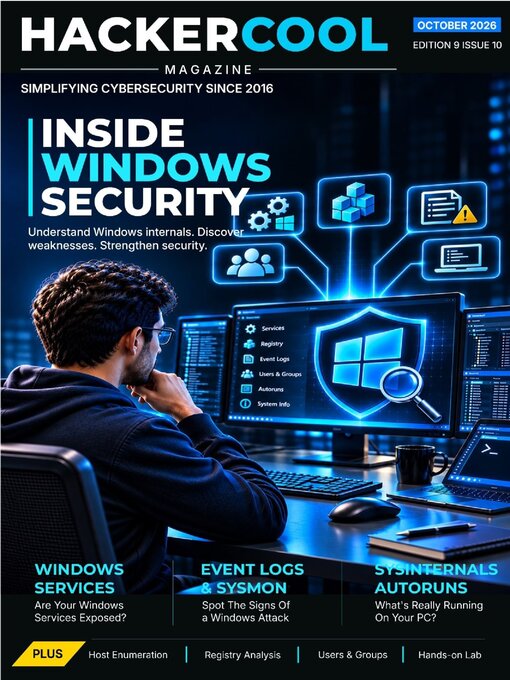
 Oct 01 2026
 Sep 01 2026
 Aug 01 2026
 Jul 01 2026
 Jun 01 2026
 May 01 2026
 Apr 01 2026
 Mar 01 2026
 Feb 01 2026
 Jan 01 2026
 Dec 01 2025
 Nov 01 2025
 Oct 01 2025
 Sep 01 2025
 Aug 01 2025
 Jul 01 2025
 Jun 01 2025
 May 01 2025
 Apr 01 2025
 Mar 01 2025
 Feb 01 2025
 Jan 01 2025
 Dec 01 2024
 Nov 01 2024
Hackercool Magazine is a beginner-focused ethical hacking magazine that simplifies real-world cyber attacks, red team thinking and cybersecurity concepts safely and legally. Designed for learners who want understanding, not hype.
FROM IDENTITY TO THE WINDOWS SYSTEM • "You cannot assess a system's security until you understand how it works."
Hackercool Magazine • YOUR MISSION: WINDOWS SECURITY ASSESSMENT Understand Windows internals and learn how to assess Windows systems professionally.
Introducing the Hackercool Learning Journey • A Better Way to Learn Ethical Hacking
YOUR HACKERCOOL ROADMAP • WHERE ARE YOU IN YOUR ETHICAL HACKING JOURNEY?
Windows Architecture: The Foundations of a Security Assessment • Understand how Windows is structured and discover the components that matter during a security assessment.
Permissions: Where Architecture Becomes a Security Boundary • Permissions deserve special attention because they connect Windows identities to real resources. A misconfiguration can allow a user or process to read sensitive data, modify important files or alter a configuration that influences privileged software.
Windows Services: Finding Risky Configurations • Identify misconfigured services that could expose a Windows system to security risks.
The Windows Registry: Inspecting Configuration and Security Weaknesses • Explore the Windows Registry to uncover configuration issues and potential security weaknesses.
Windows Event Logs: Reconstructing Activity on a Host • Learn how event logs reveal system activity, user actions, and important security events.
Windows Users & Groups: Auditing Local Accounts and Privileges • Examine local accounts, group memberships and privileges to identify excessive access.
RED TEAMING
Windows Host Enumeration: Finding Configuration Weaknesses • Discover how systematic host enumeration reveals weaknesses that attackers could potentially exploit.
BLUE TEAMING
Detecting Suspicious Windows Activity with Event Logs and Sysmon • Correlate event logs and Sysmon data to identify suspicious activity on Windows systems.
TOOL OF THE MONTH
Sysinternals Autoruns: Understanding What Starts Automatically • Inspect startup locations and uncover programs that automatically execute when Windows starts.
HANDS-ON LAB
Build Your Windows Security Assessment Lab • Create your own Windows lab and practice assessing its security configuration hands-on.
BREACH BREAKDOWN
When Excessive Privileges Become an Attack Path • Explore how excessive permissions can turn ordinary access into a pathway for compromise.
CAREER CORNER
Windows Security Assessment: A Foundation for Junior Pentesters • Build the practical Windows assessment skills needed to take your first steps as a pentester.
SKILL OF THE MONTH
Evidence-Based Windows Host Enumeration • Develop a structured approach to gathering information and identifying weaknesses on Windows hosts.
QUIZ
Windows Security Assessment Knowledge Check • Test your understanding of Windows architecture, enumeration, configuration and security assessment
READER CHALLENGE
The Windows Host Assessment Challenge • Put your Windows enumeration and assessment skills to the test in a practical challenge.
MISSION COMPLETE • YOU COMPLETED THE MISSION